

For coaches
Every coach wants to coach, not drown in chats and paperwork
Finding new students, schedules, documents before tournaments, chats with parents and athletes – all of this eats up time that could be spent in the gym. That is why coaches on ProBoi get their own set of tools.
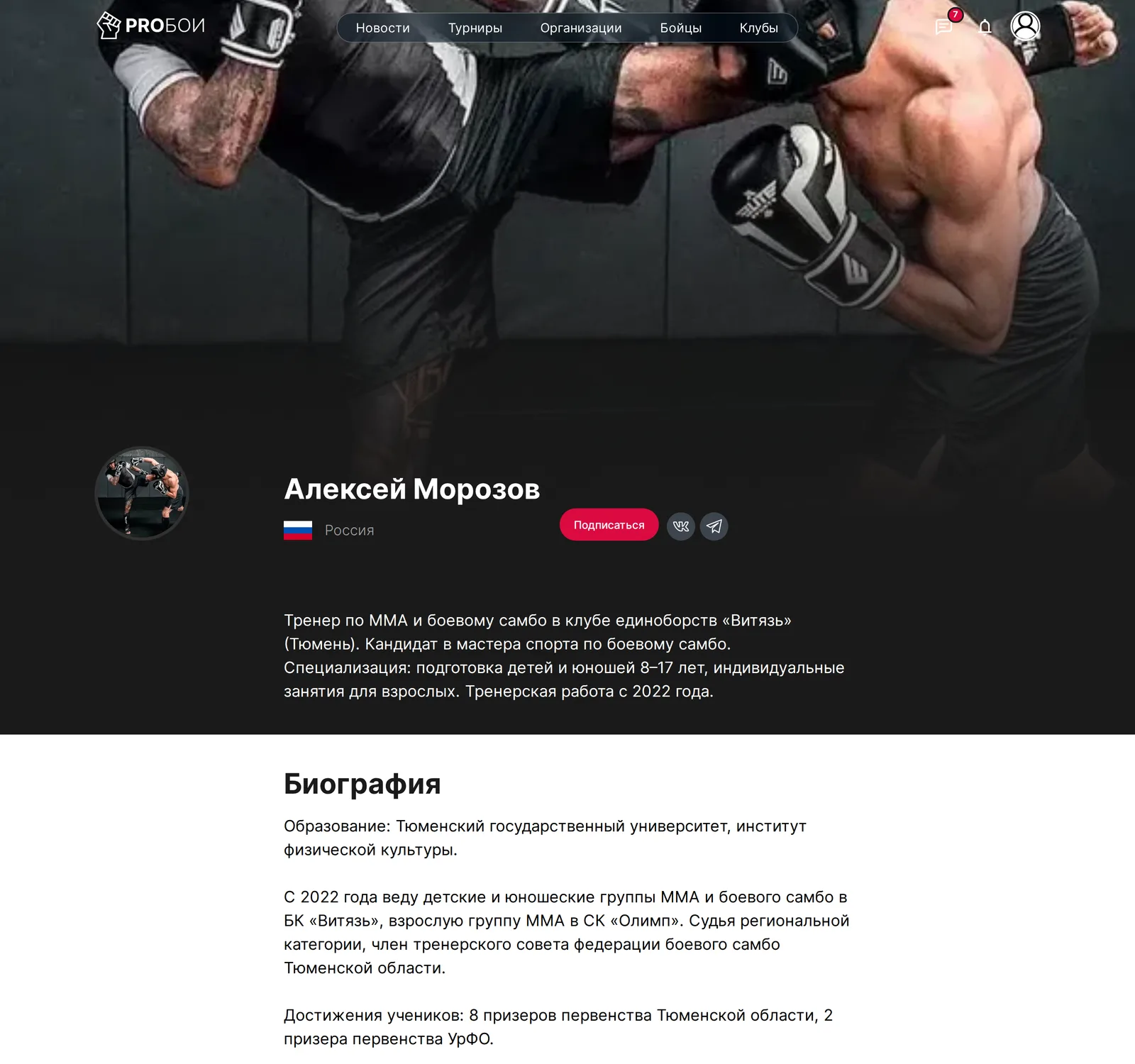
Personal coach page
- 1
Sign up and fill in your coach profile
Education, the year you started coaching, achievements and documents – all in your personal account
- 2
Create a specialist card
Description, biography, photo and contacts. After moderation the page appears in the ProBoi catalog
- 3
Get requests from athletes and parents
They will find you online, see your credentials, clubs and schedule and write to you about training or individual sessions
See what the link to your page will look like
Your future link
https://pro-boi.ru/specialist/...
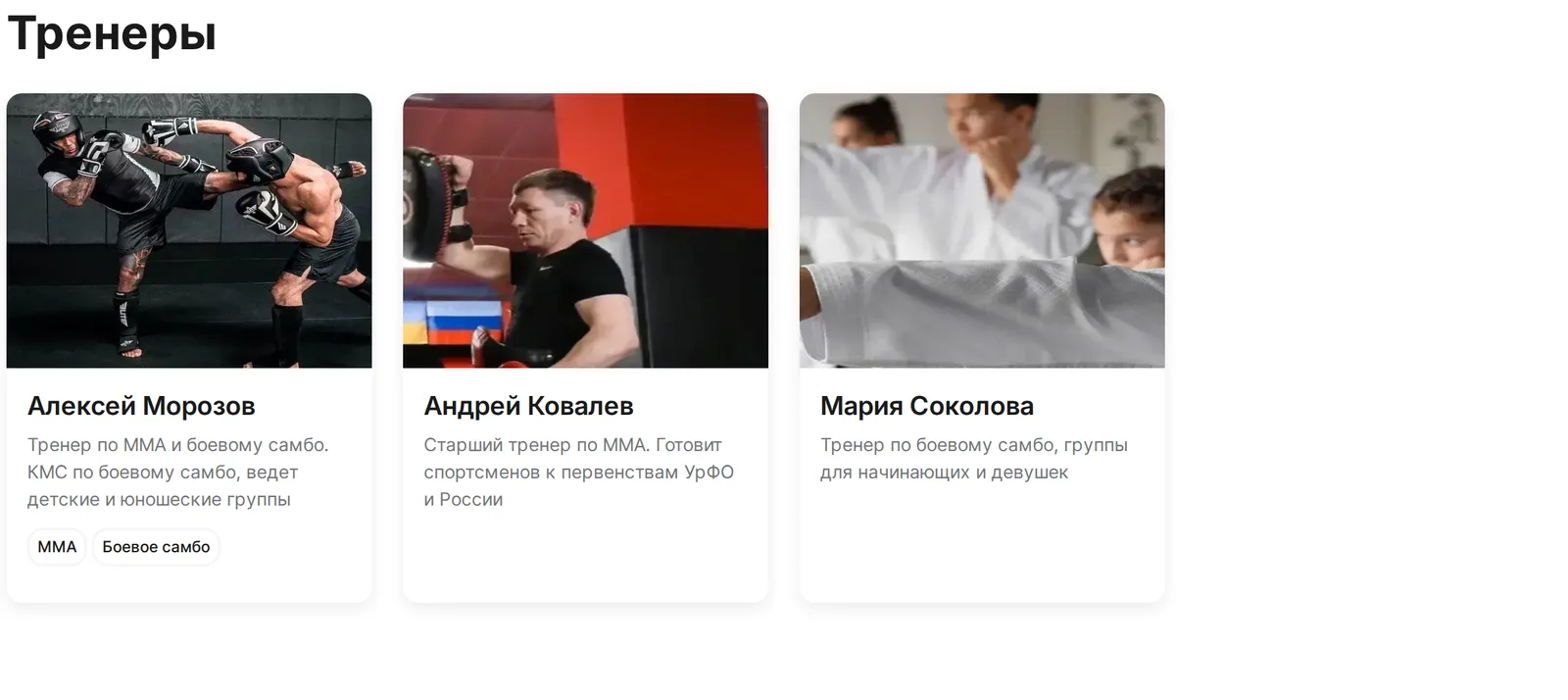
Official cards in clubs and federations
A club or federation adds you to its team – and your card with a link to your personal page appears on their pages. Parents see where you work, and organizations see who they work with.
A card in the 'Specialists' block on club and federation pages
Clubs and federations you are linked to are shown on your page
One account – any number of clubs and federations
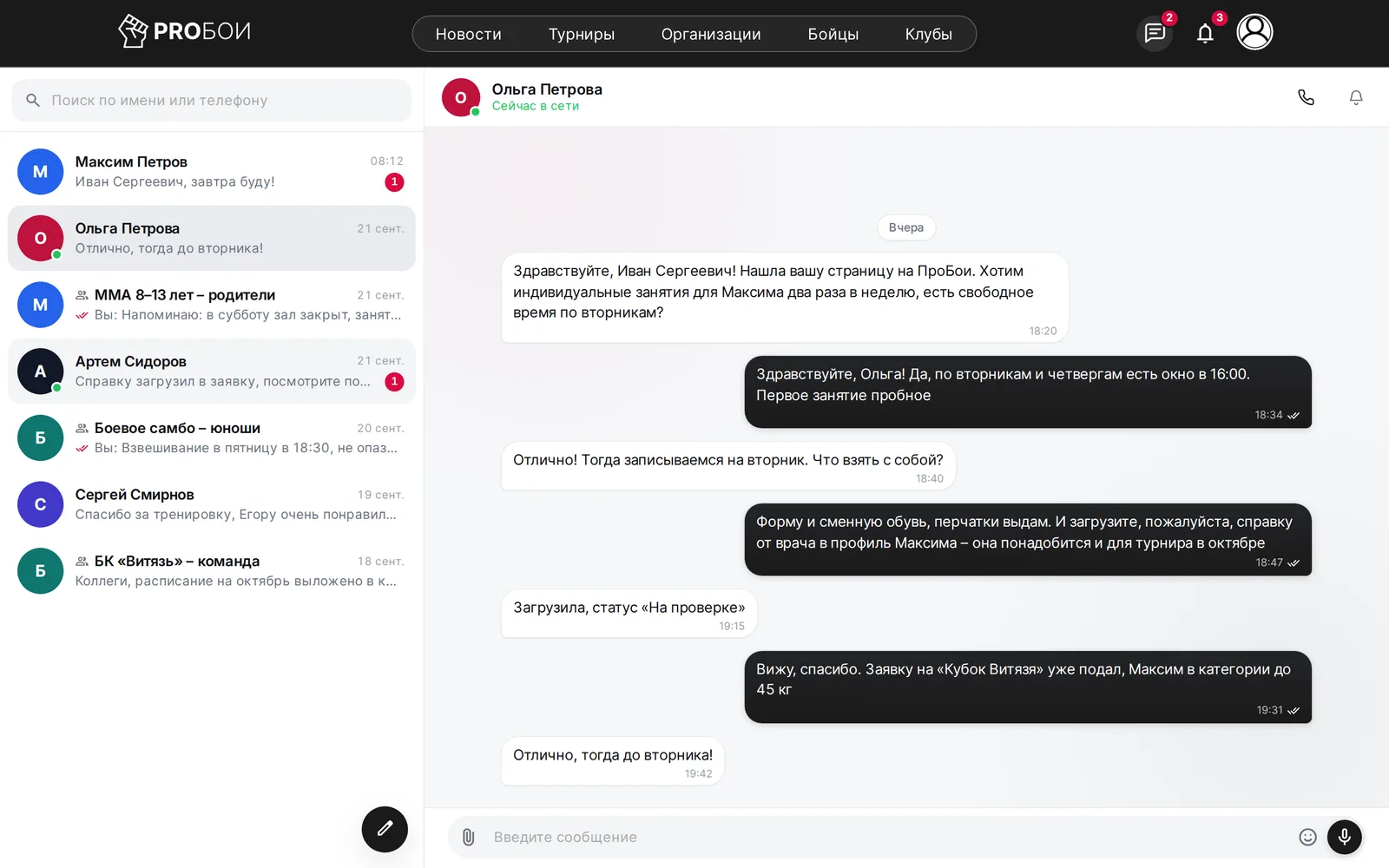
All students and parents in one messenger
Private chats with athletes and parents, a club chat and group chats – in the ProBoi messenger instead of ten different apps. Works in the browser and as an app on your phone.
Separate chats with every student and their parents
Group chats for your classes and a club chat with the team
New message notifications arrive on your phone
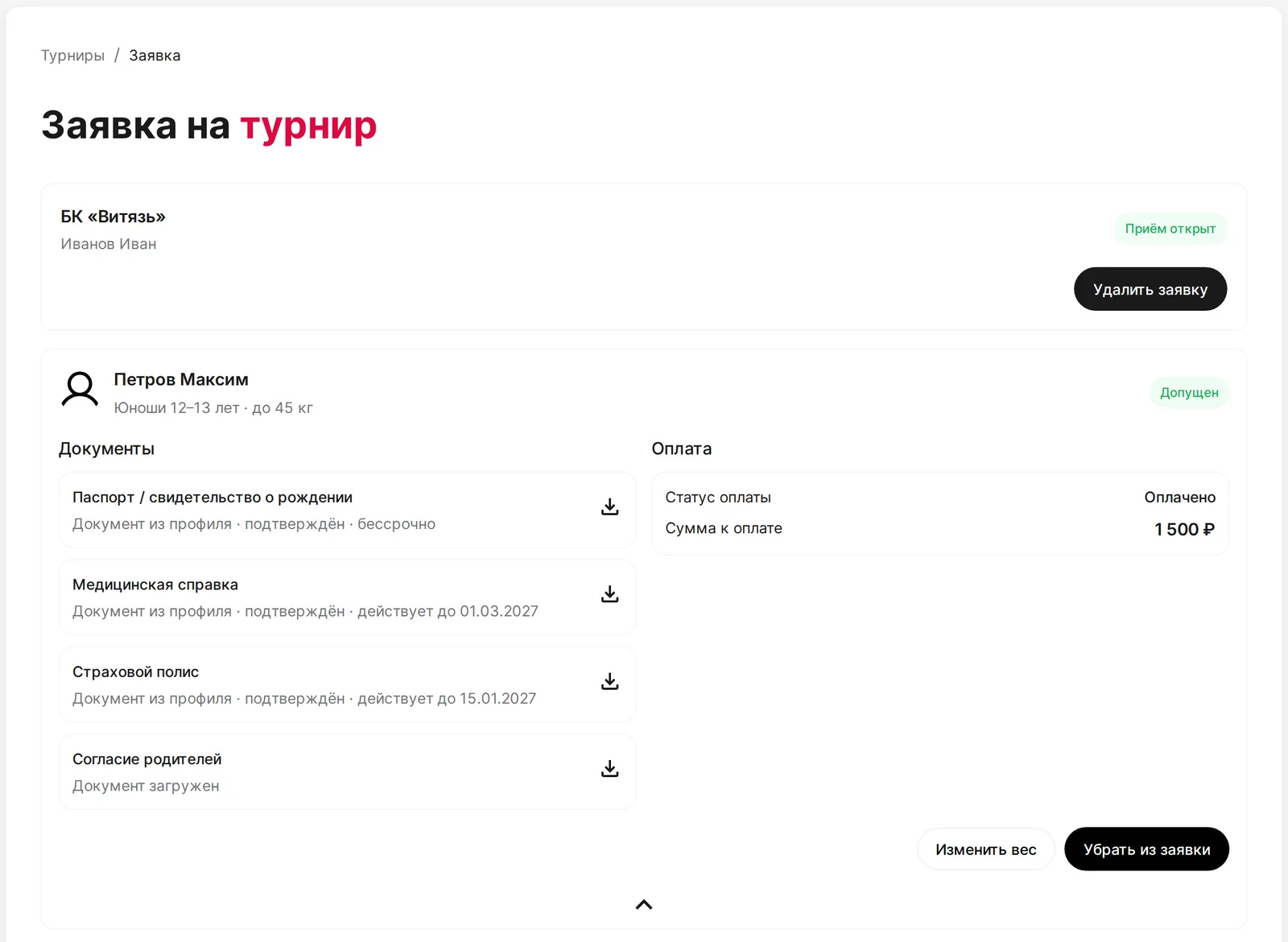
Tournament applications and athlete documents before the trip
Pick a tournament, tick your students, their category and weight – the application goes to the organizer in a couple of clicks. Each athlete's documents are visible in the application in advance: what is uploaded, what is checked, what is missing.
Students are pulled from the club registry with birth date and gender
Passport, medical certificate, insurance and parental consent – a status for every athlete
Organizer review and fee payment – in the same application
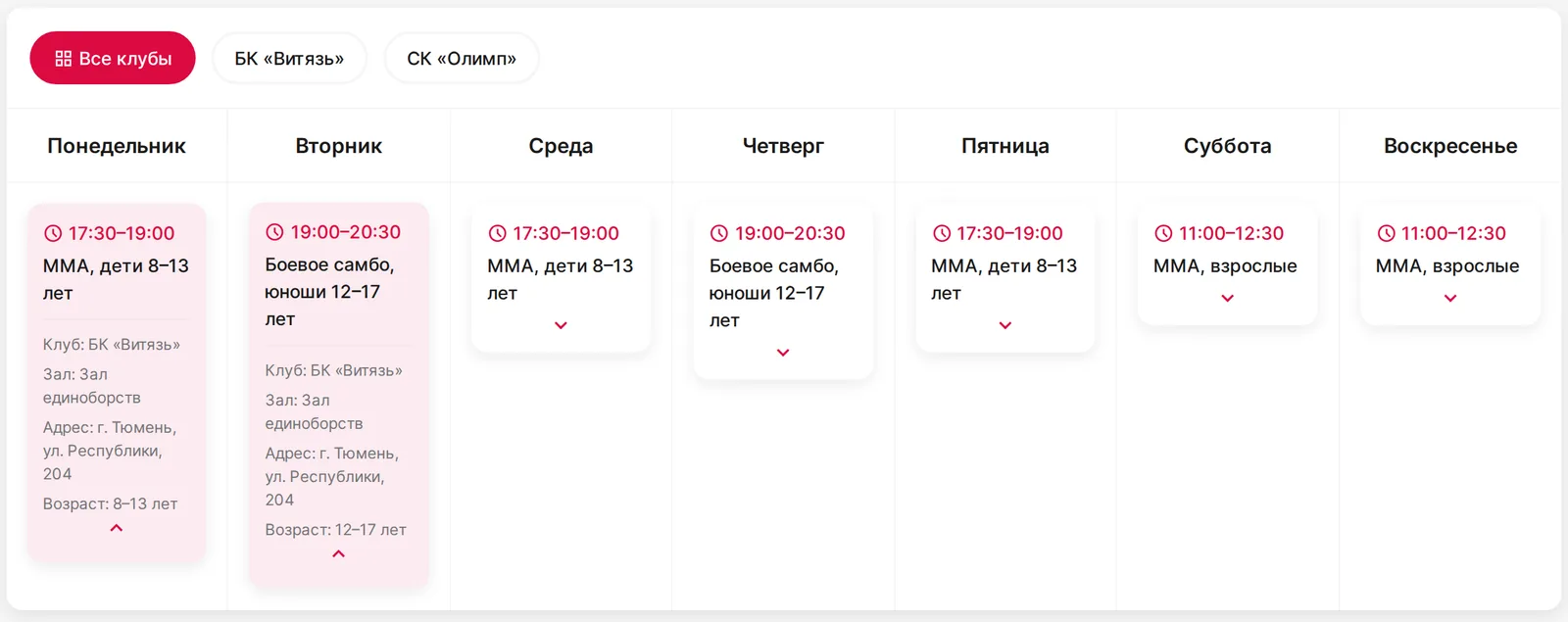
Club schedules are always in your profile
A club assigns you as the coach of its classes – and the schedule of every club you coach at appears in the 'Schedule' tab of your profile by itself. Nothing needs to be duplicated by hand.
Classes by weekday with time, hall and address
A club filter if you coach at several clubs
Sports in your profile are determined from your classes
What else a coach gets in the account
A few screens from the personal account – every section already works
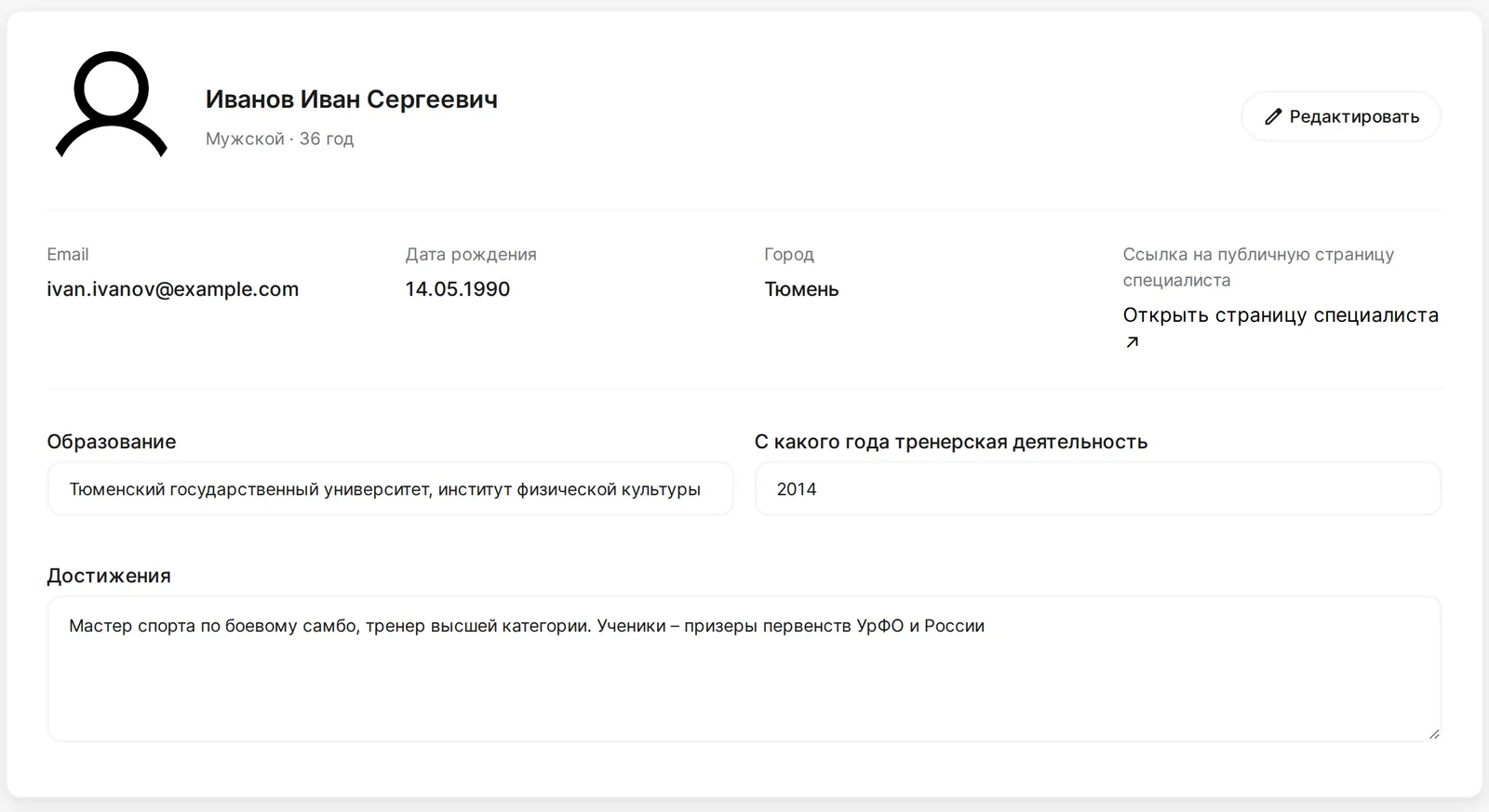
Coach profile
Education, experience and achievements are saved automatically and go to your page
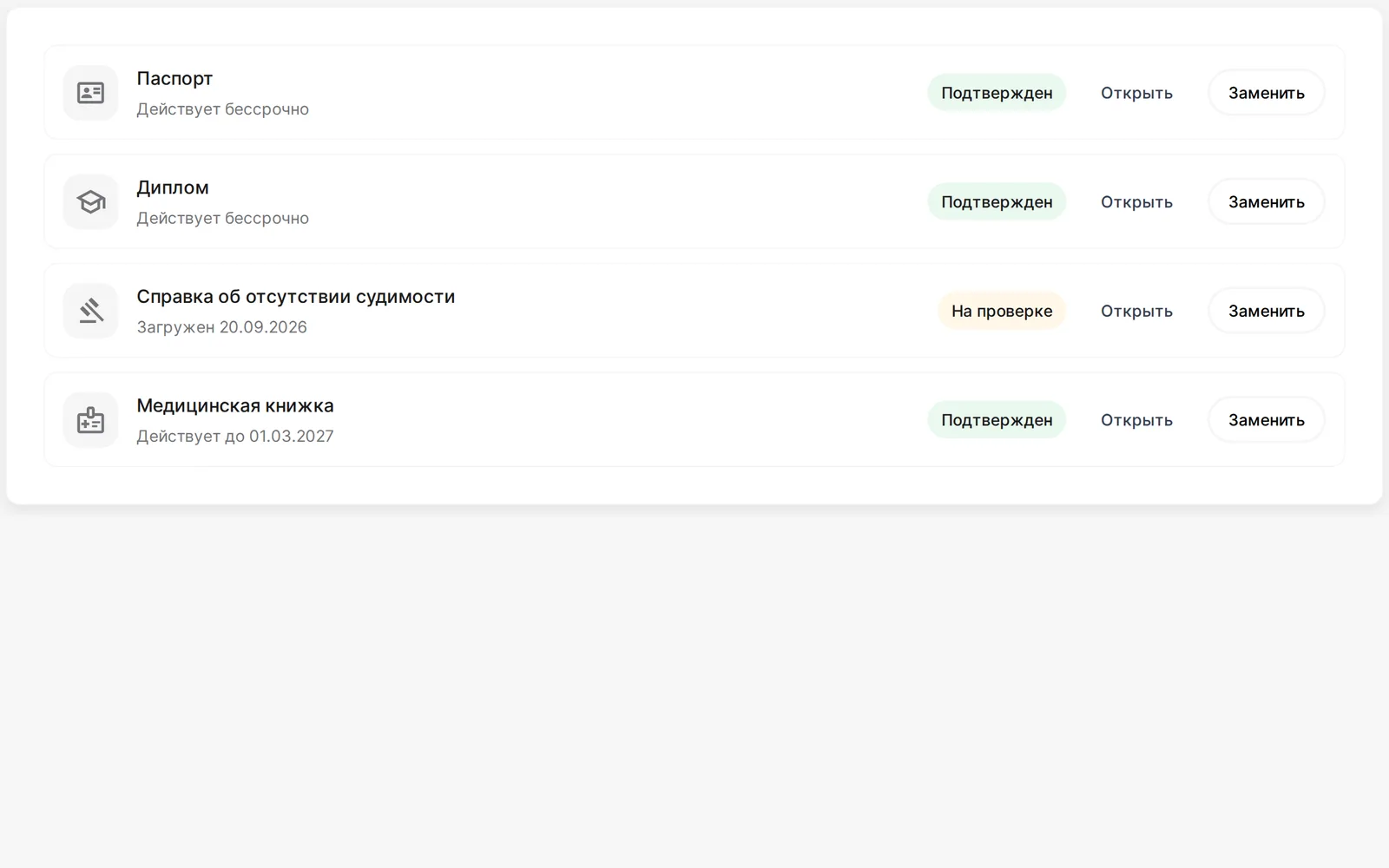
Coach documents
Passport, diploma, criminal record certificate and medical book with validity dates in one section
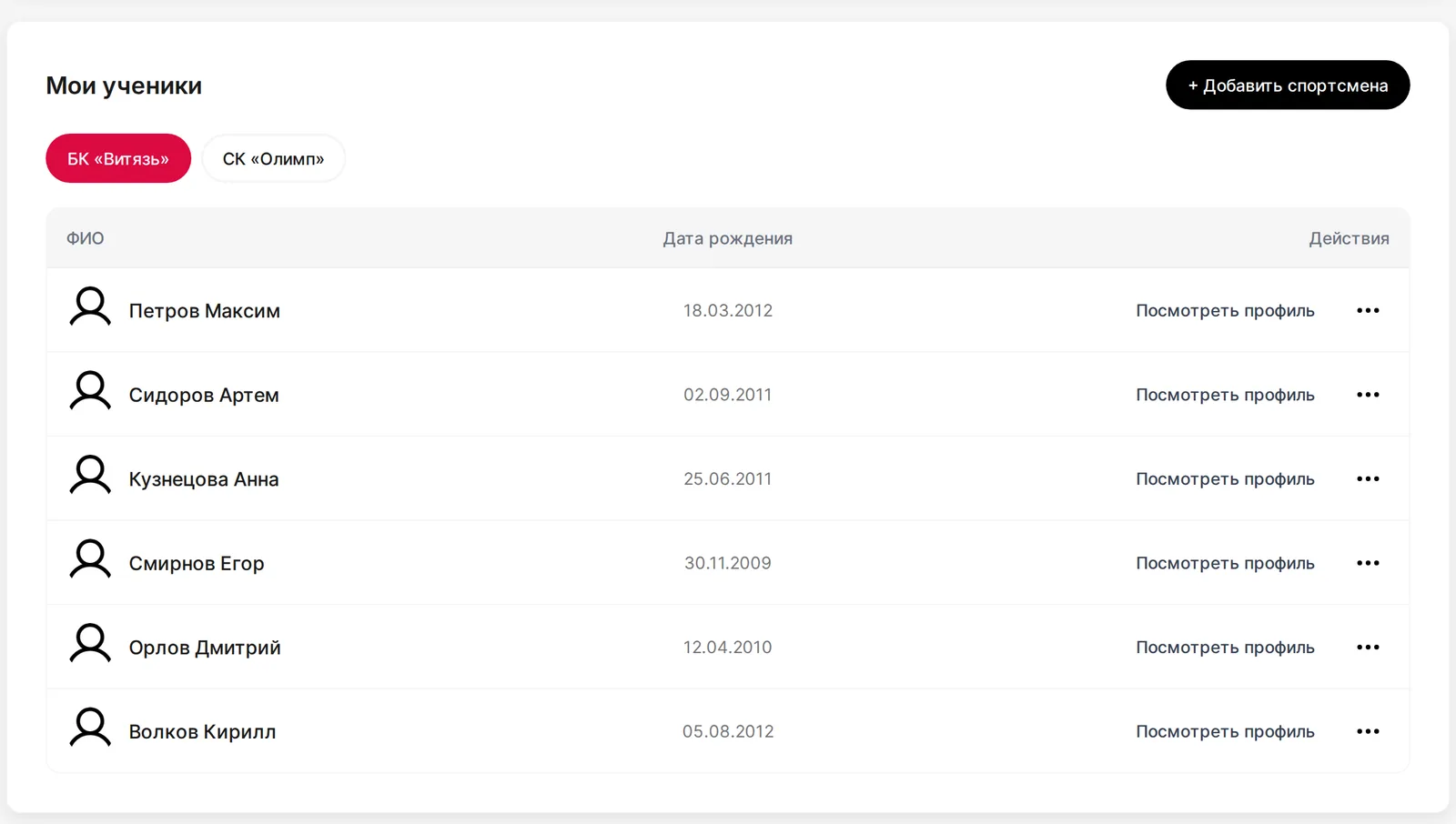
Students by club
A list of athletes in every club you coach at, with the status of their documents
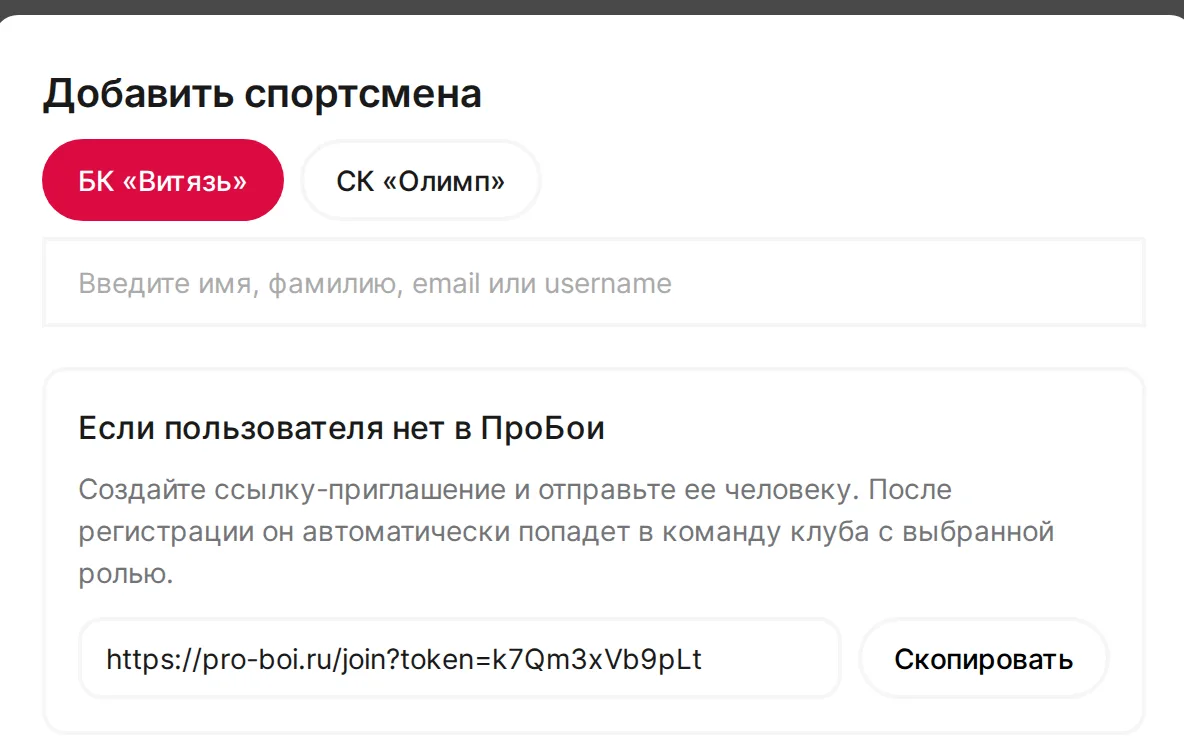
Invitation link
Find a student on ProBoi or send a link – after signing up they automatically become your athlete
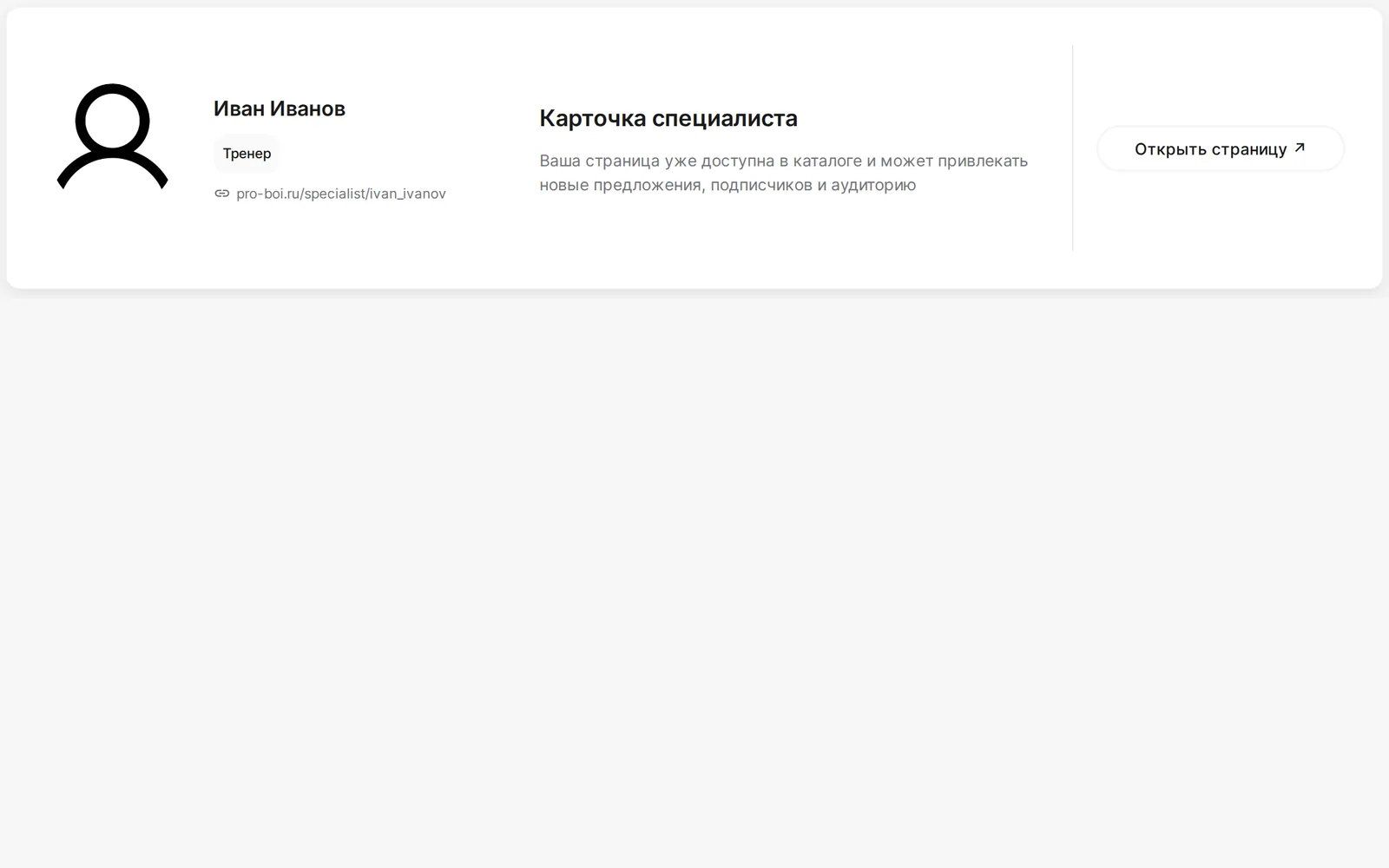
Public page
Moderation status, preview and a link to your specialist card right in the profile
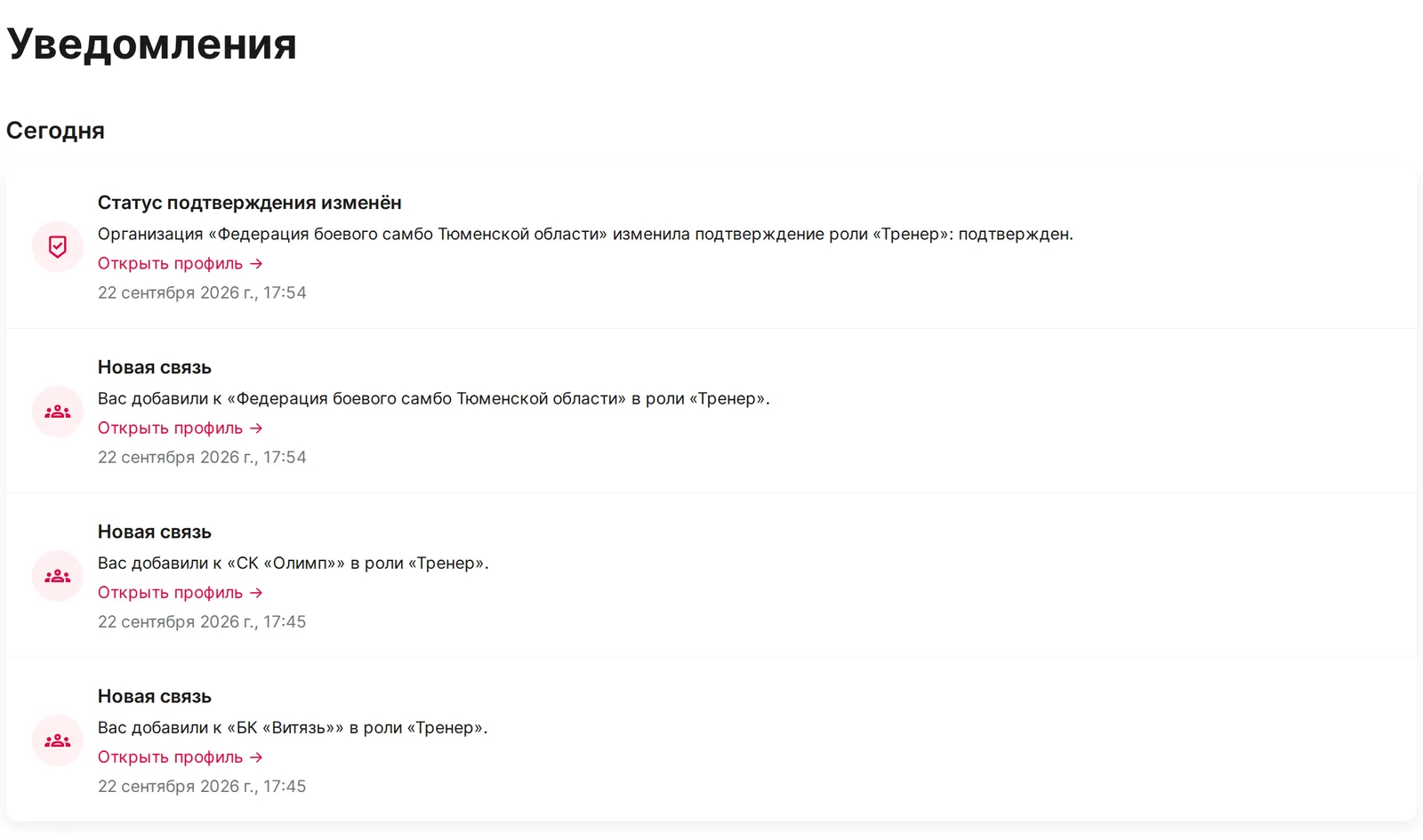
Notifications
Applications, documents, club team changes and moderation results in one list
Frequently asked questions
Who is the platform for?
For coaches in any martial art: boxing, MMA, kickboxing, Muay Thai, wrestling, sambo, judo, karate and other disciplines. It suits both club coaches and those who run individual sessions.
How do I create a personal coach page?
Sign up, fill in your coach profile – education, the year you started coaching, achievements – and create a specialist card in the 'Public page' tab: description, biography, photo and contacts. A passport is needed for identity verification; it is stored in the 'Documents' section and is never published. After moderation the page appears in the catalog at pro-boi.ru/specialist/your-name.
How do I link to a club or federation?
The club owner or administrator adds you to the team as a coach – by name on ProBoi or with an invitation link. After that your card appears on the club page, and you see its schedule and athlete registry for applications. Federations work the same way: the organization adds you to its list of specialists.
How do I find new students?
Your page is indexed by Yandex and Google and is shown in the ProBoi specialist catalog and on club and federation pages. Parents and athletes see your credentials, sports and contacts and write to you directly.
How do I apply for a tournament?
Open a tournament on ProBoi and click 'Apply', or go to the 'Tournaments' tab in your profile. Choose the club, tick the students, set the category and weight – the application goes to the organizer. An application from a coach and club can be updated until applications close.
Where does the schedule in my profile come from?
From the clubs you coach at. A club creates programs and classes and assigns the coach – these classes automatically appear in the 'Schedule' tab of your profile with time, hall and address. If there are several clubs, there is a club filter, and the sports in your profile are determined from your classes.
Is it hard to get started?
No. Signing up takes a couple of minutes, the coach profile can be filled in gradually, and if anything is unclear – click 'Ask a question': we reply during working hours and help set up your account.
Any questions?
Write to us – we will help you create a coach page, link to a club and submit your first application
Quick reply during working hours
We will help with your page and documents
We will show how to connect a club and students